
Dashboard
Orders
View, search and export your full order history.
The Orders page lists every order and invoice on your account.
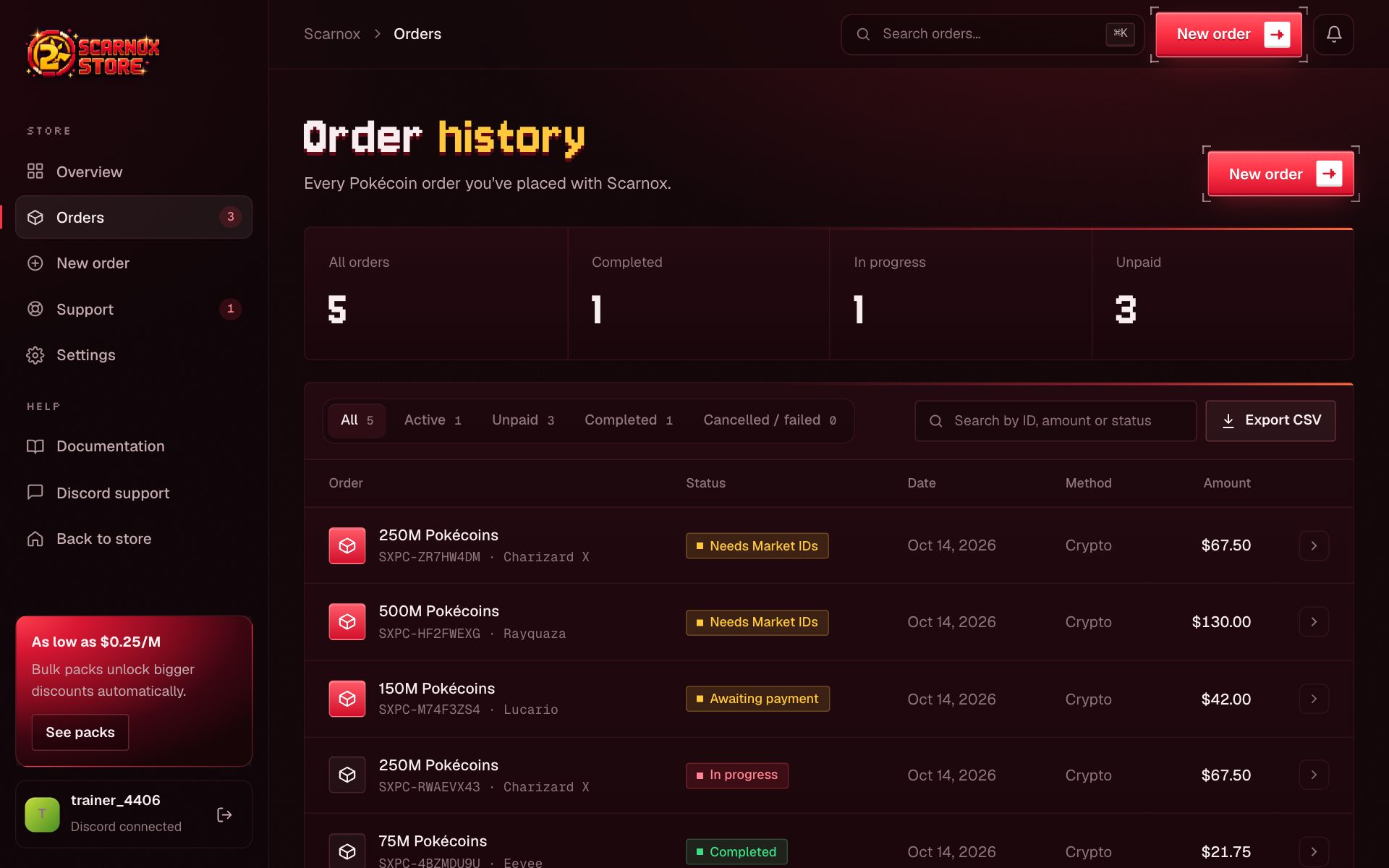
What each row shows
- Amount and pack, with the order ID (
SXPC-…) - Status badge (see Order statuses)
- Date placed
- Payment method
- Total
Click any row to open the order page.
Filters and search
Use the tabs to narrow the list:
| Tab | Shows |
|---|---|
| All | Every order |
| Active | Paid orders being delivered |
| Unpaid | Invoices waiting for payment or Market IDs |
| Completed | Delivered orders |
| Cancelled / failed | Orders that didn't go through |
The search box matches order IDs, amounts and statuses.
Export
Click Export CSV to download your full order history for your records. For a single order, use Invoice PDF on its order page.
Was this page helpful?