
View your order
Everything on your order page, from live delivery to receipts.
Every order has its own page with live delivery progress, your Market IDs, payments and receipt. Open it from Orders in your dashboard, from any order email, or by searching the order ID with Ctrl K.
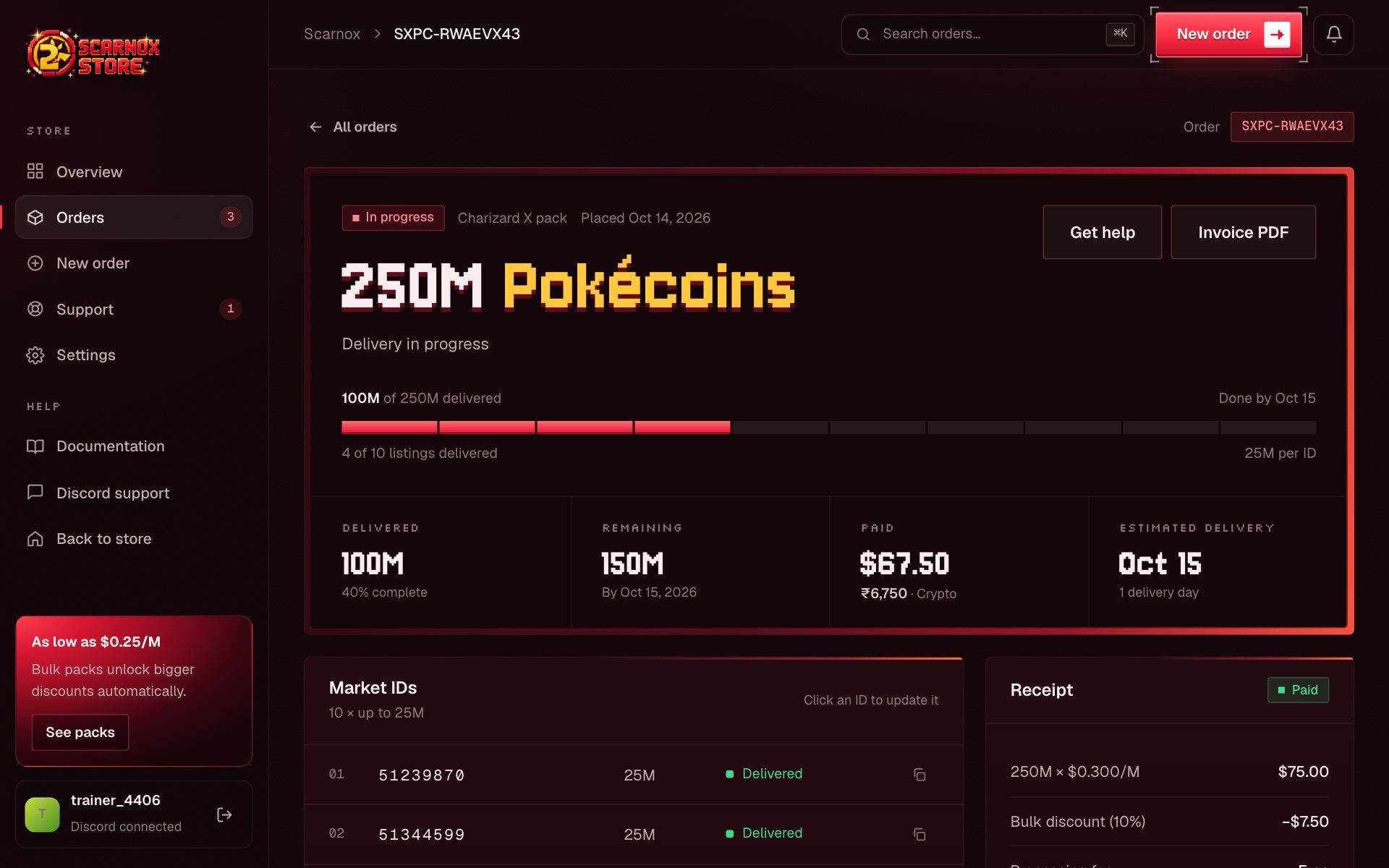
Order header
The top of the page shows the status badge, the pack, when it was placed, and a line that explains where things stand, for example "Order placed · awaiting delivery by Oct 16".
Below it, the progress bar has one segment per listing. Delivered listings light up as we buy them.
Stat cards
| Card | What it shows |
|---|---|
| Delivered | How much has been bought so far |
| Remaining | What's still to deliver |
| Paid / Amount due | Your total, in the currency you paid with |
| Estimated delivery | When the order should be finished |
Market IDs
Each listing shows its Market ID, amount and state: Queued, Awaiting delivery, Delivered, or New ID needed. Click an ID that hasn't been delivered yet to change it.
Activity
A timeline of everything that happened: invoice created, payment detected and confirmed, order placed, each listing delivered, any message from our team.
Receipt and invoice
The receipt card shows the price per million, discount and total. Once paid, Invoice PDF downloads a full invoice you can keep for your records.
Leave a review
When an order is delivered, a How did we do? card appears. Pick a star rating and write a few words; your review shows on our homepage as a verified purchase.
Live updates
The page refreshes itself every few seconds while delivery is running, so you can leave it open and watch.