
Dashboard
Overview
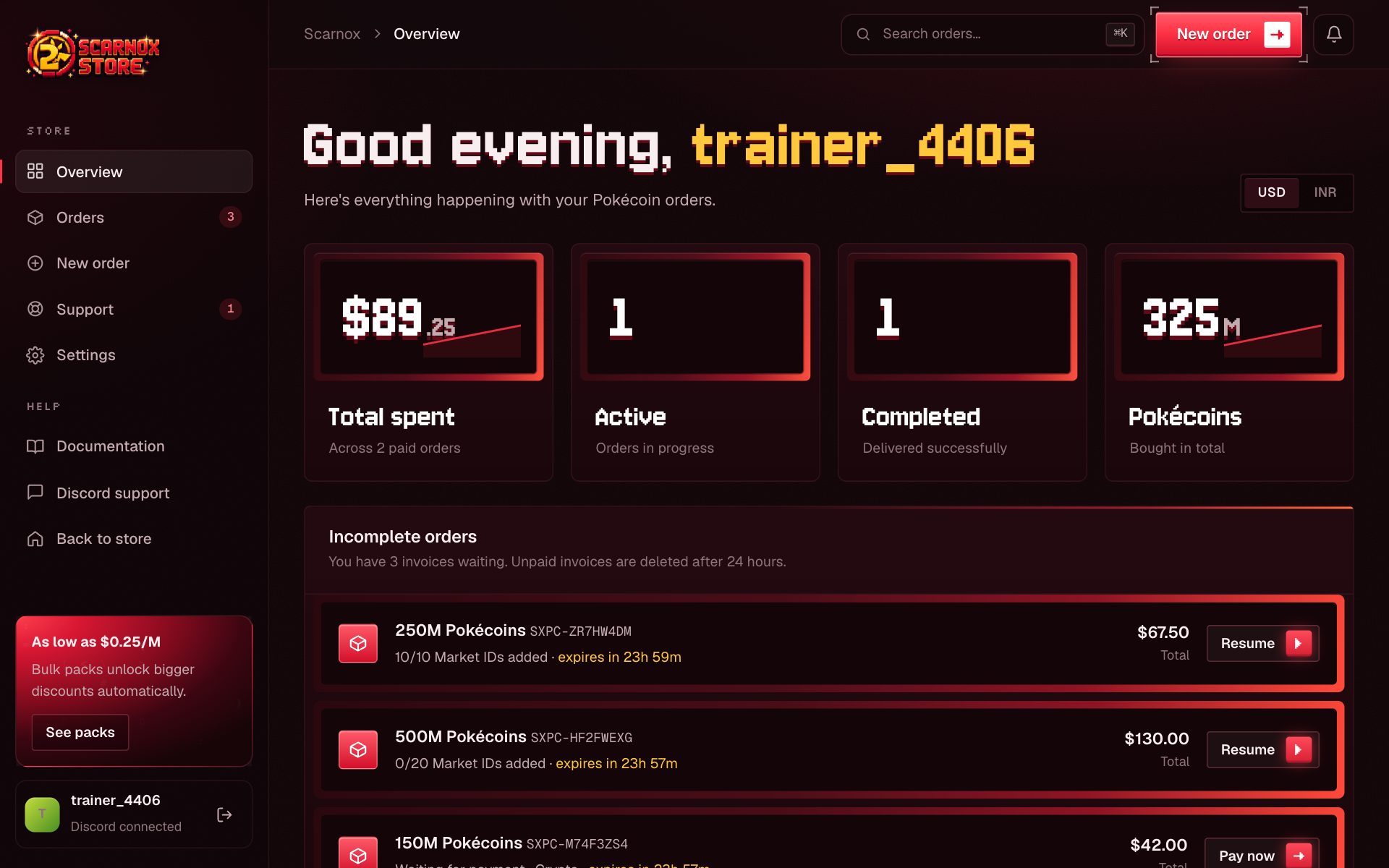
Your dashboard homepage, the first screen you see after signing in.
The Overview is your dashboard's home: what you've spent, what's on its way, and anything that needs your attention.
Getting there
Sign in and you land here automatically. From anywhere else, click Dashboard in the top bar or Overview in the sidebar.
Stat cards
| Card | What it shows |
|---|---|
| Total spent | Everything you've paid across all orders |
| Active | Paid orders currently being delivered |
| Completed | Orders delivered in full |
| Pokécoins | The total amount you've bought |
Incomplete orders
Invoices you started but haven't paid show here, with the time left before they expire and a Resume or Pay now button. Unpaid invoices are deleted after 24 hours.
Recent orders
Your latest orders with their status. Click one to open its order page, or View all for the full order history.
Quick reorder
After your first paid order, this card lets you buy the same amount again in one click. New accounts see the most popular pack here instead.
Getting around
- Sidebar: Overview, Orders, New order, Support, Settings, Documentation and Discord support. On phones it opens from the menu button.
- Search: press Ctrl K (⌘ K on Mac) to jump to any order by ID, amount or status.
- Notifications: the bell shows order and support updates. Anything you haven't seen pops up once when you next open the dashboard.
Was this page helpful?