
Dashboard
Support tickets
Get help with an order, payment or delivery from the Scarnox team.
Tickets are the fastest way to reach us about a specific order, because the order details come attached.
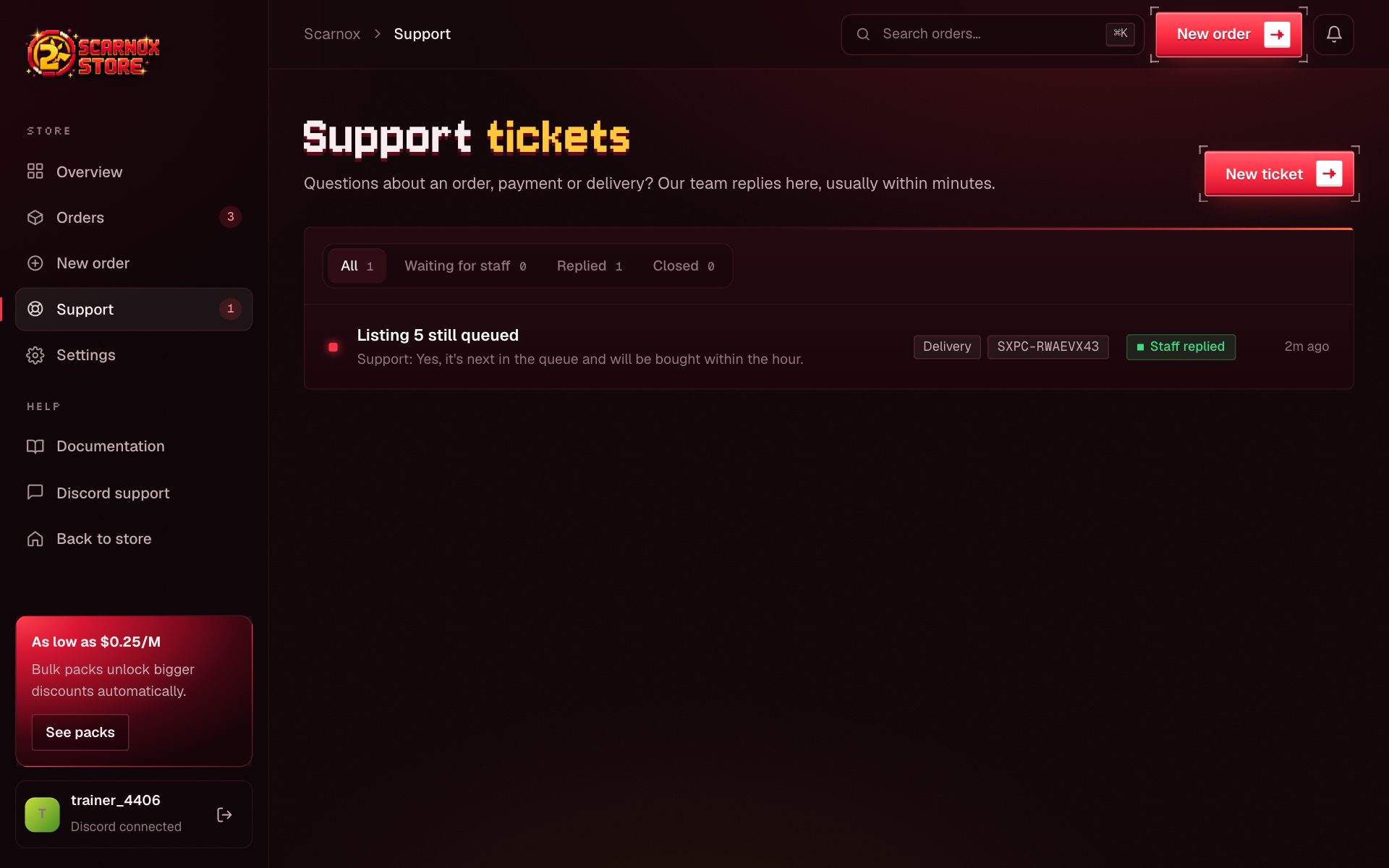
Open a ticket
Go to Support
Click Support in the dashboard sidebar, then New ticket. On an order page you can also click Open a ticket, which attaches that order for you.
Pick a category
Order issue, Payment, Delivery, Market IDs, Account or Other.
Describe the problem
Add a subject and a message. Screenshots of payments or Pokétwo messages help a lot.
Ticket statuses
| Status | Meaning |
|---|---|
| Open | Waiting for our team |
| Answered | We replied; your move |
| Closed | Resolved. Reply to reopen it |
You'll get an email when we reply, and the Support link in the sidebar shows a count of unread replies.
Other ways to reach us
- Email: support@scarnoxpokecoins.store. Replies come from the same address and stay in one thread.
- Discord: our support server
Always include your order ID (SXPC-…). It lets us find everything in seconds.
Was this page helpful?