Dashboard
Settings
Your profile, notification emails, security and preferences.
Open Settings from the dashboard sidebar.
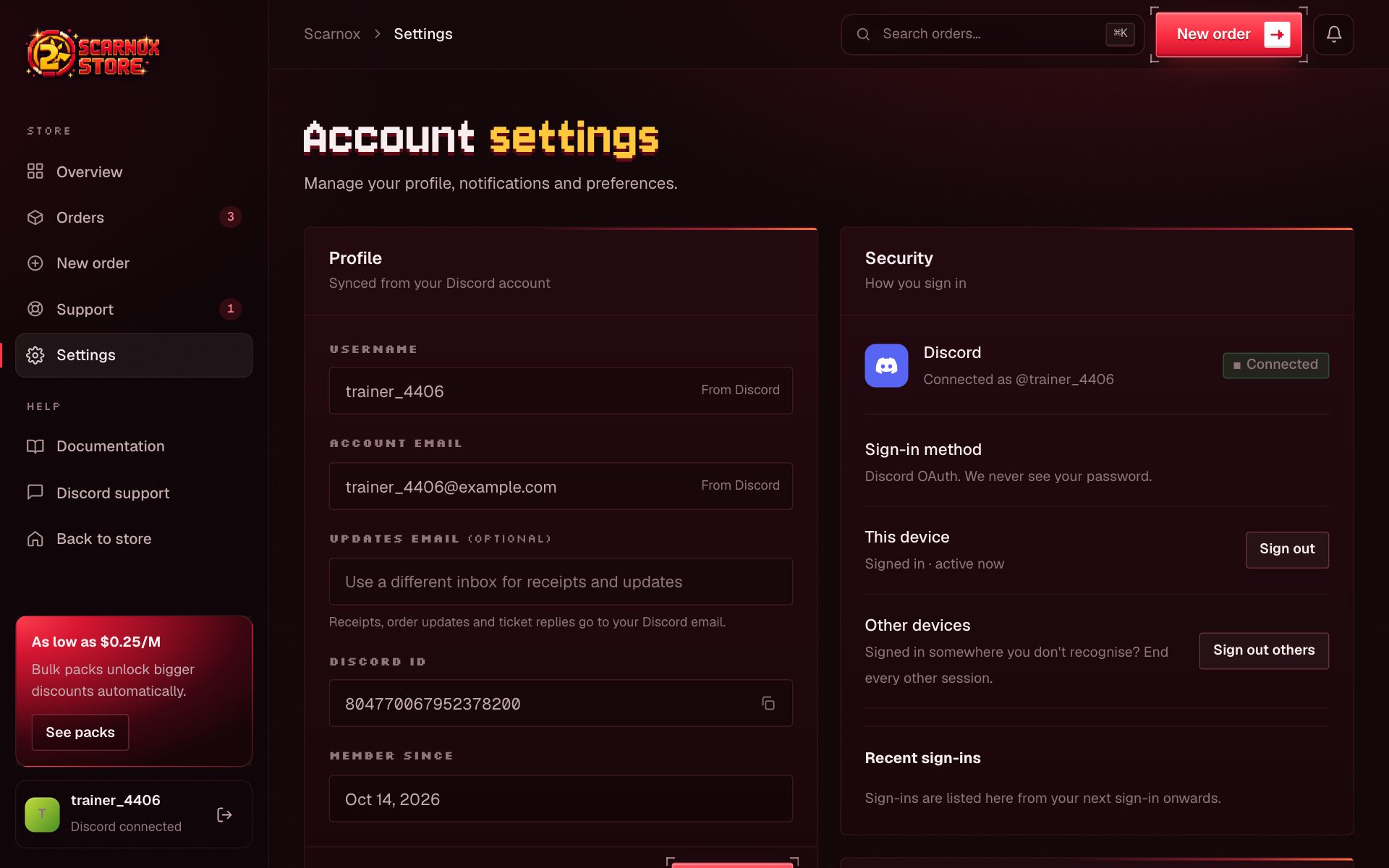
Profile
- Username and Discord ID come from Discord and can't be edited here.
- Account email is your Discord email.
- Updates email (optional): add a different inbox for receipts, order updates and ticket replies. Remove it to go back to your Discord email.
Notifications
| Setting | What it controls |
|---|---|
| Order updates by email | Receipts, delivery updates and delay notices |
| Promotions & restocks | Occasional discounts and restock alerts (off by default) |
Security emails, like new sign-in alerts, are always sent.
Security
- Discord connection: shows the Discord account you're signed in with.
- This device: sign out here.
- Other devices: Sign out others ends every other session and keeps you signed in on this one.
- Recent sign-ins: the device, IP address and time of each sign-in, with New location marked.
Preferences
Display currency switches prices between USD and INR across the store.
Was this page helpful?